
Dashboard
Understand your calling performance at a glance.
Understand your calling performance
Once you’re signed in, the Dashboard is your home screen: a real-time read on call volume, connection quality and the objections your leads are raising, filterable by agent and date range.
Not signed in yet? Start with the Getting Started guide.
Key metrics
Seven cards summarise calls, connect rate, minutes and successes for the period you pick.
Daily activity
See calls, conversations and successes plotted day by day, with detail on hover.
Objection insights
See which objections your leads raise most, so you can sharpen your targeting and opening lines.
Reading your dashboard
Use the filters at the top to pick an agent and date range, then work through each part of the screen.
Key metrics at a glance
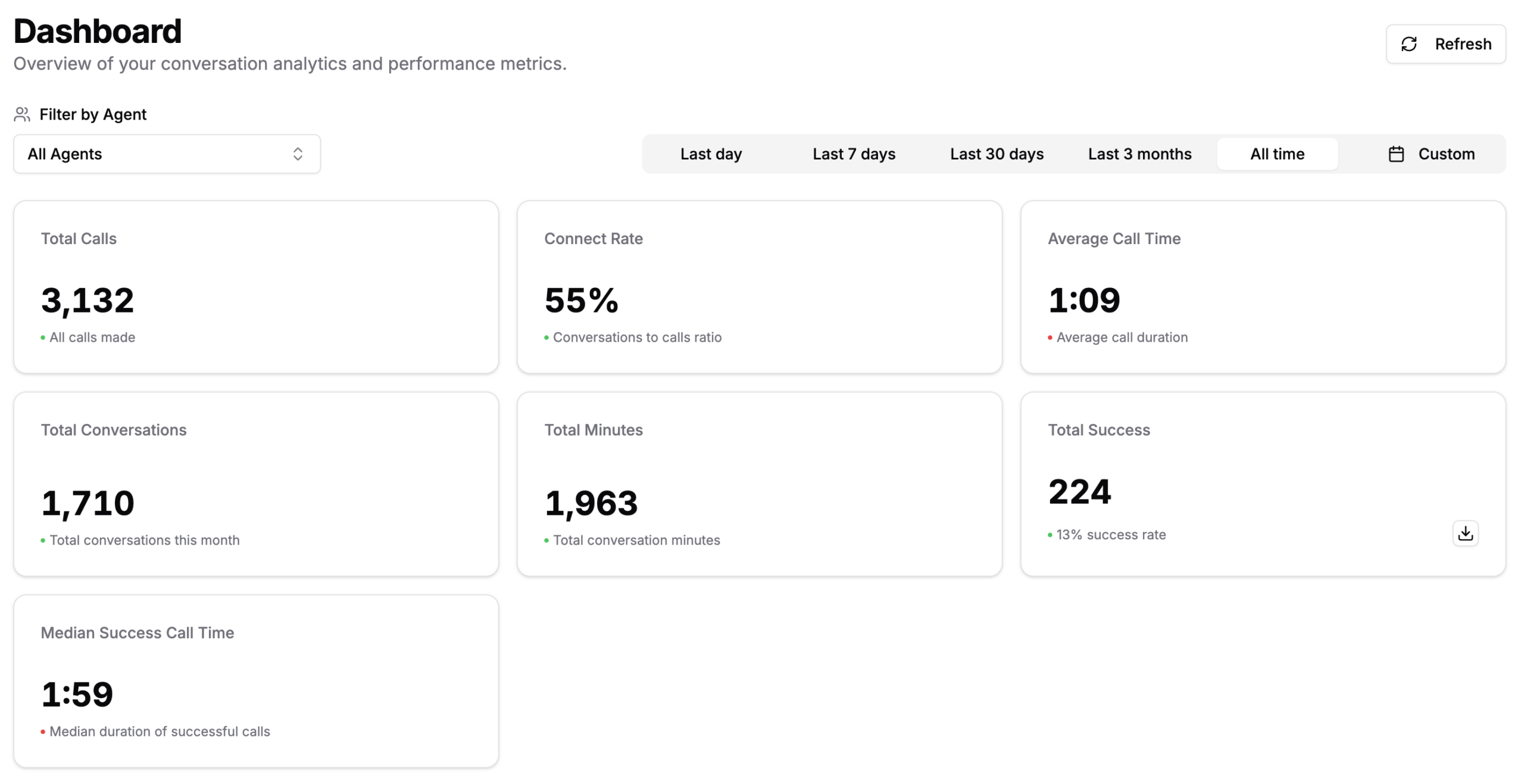
Seven cards summarise the selected period. Use Filter by Agent and the date range presets (Last day, Last 7 days, Last 30 days, Last 3 months, All time or a Custom range) to narrow the view, then Refresh to pull the latest numbers.
- Total Calls: all calls made
- Connect Rate: conversations ÷ calls
- Average Call Time: mean call duration
- Total Conversations: conversations this period
- Total Minutes: conversation minutes used
- Total Success: successful calls and success rate
- Median Success Call Time: median duration of successful calls
In the example below, 3,132 total calls produced a 55% connect rate and 224 successes, a 13% success rate.
Daily activity chart
Below the metric cards, the Daily Activity Overview chart plots Calls, Conversations and Successes per day. Untick a series under Show: to hide it, or hover any point to see that day’s connect rate, success rate and minutes used.
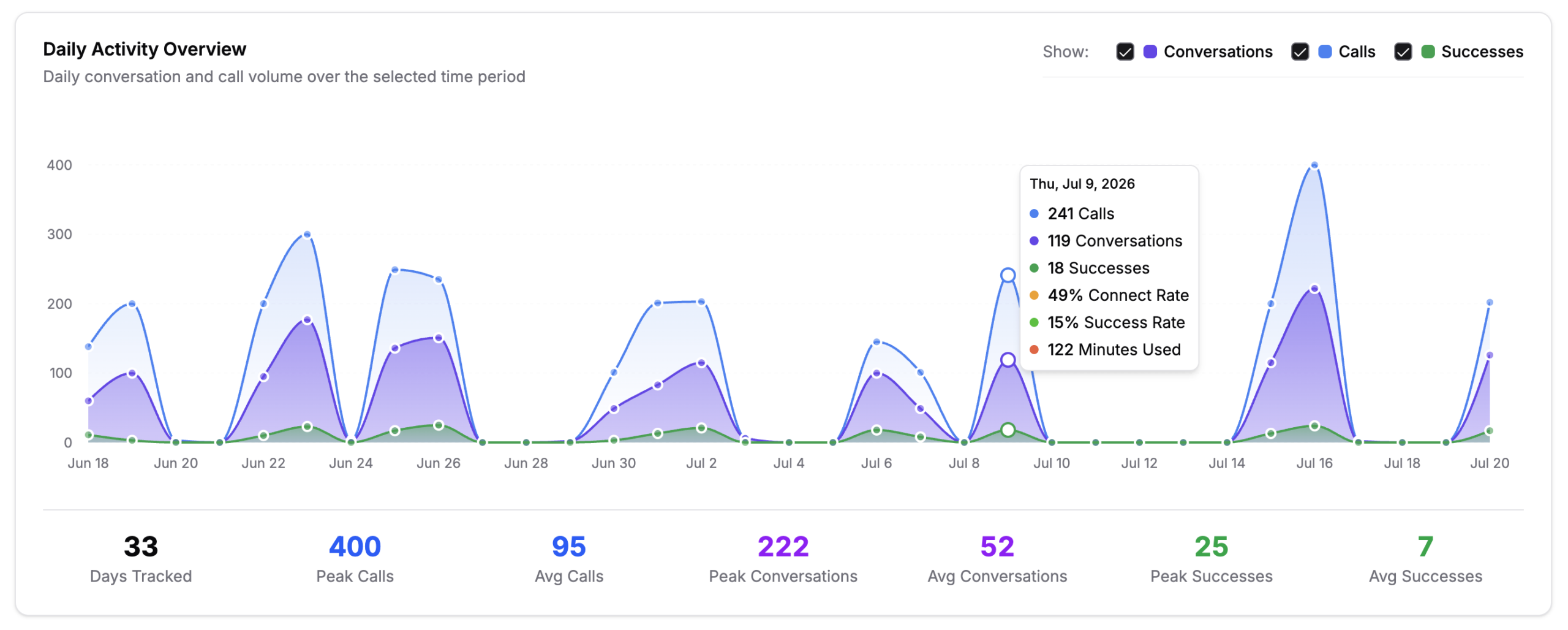
The row beneath the chart (Days Tracked, Peak Calls, Avg Calls, Peak Conversations, Avg Conversations, Peak Successes, Avg Successes) summarises the whole selected range, not just the day you’re hovering.
Common objections
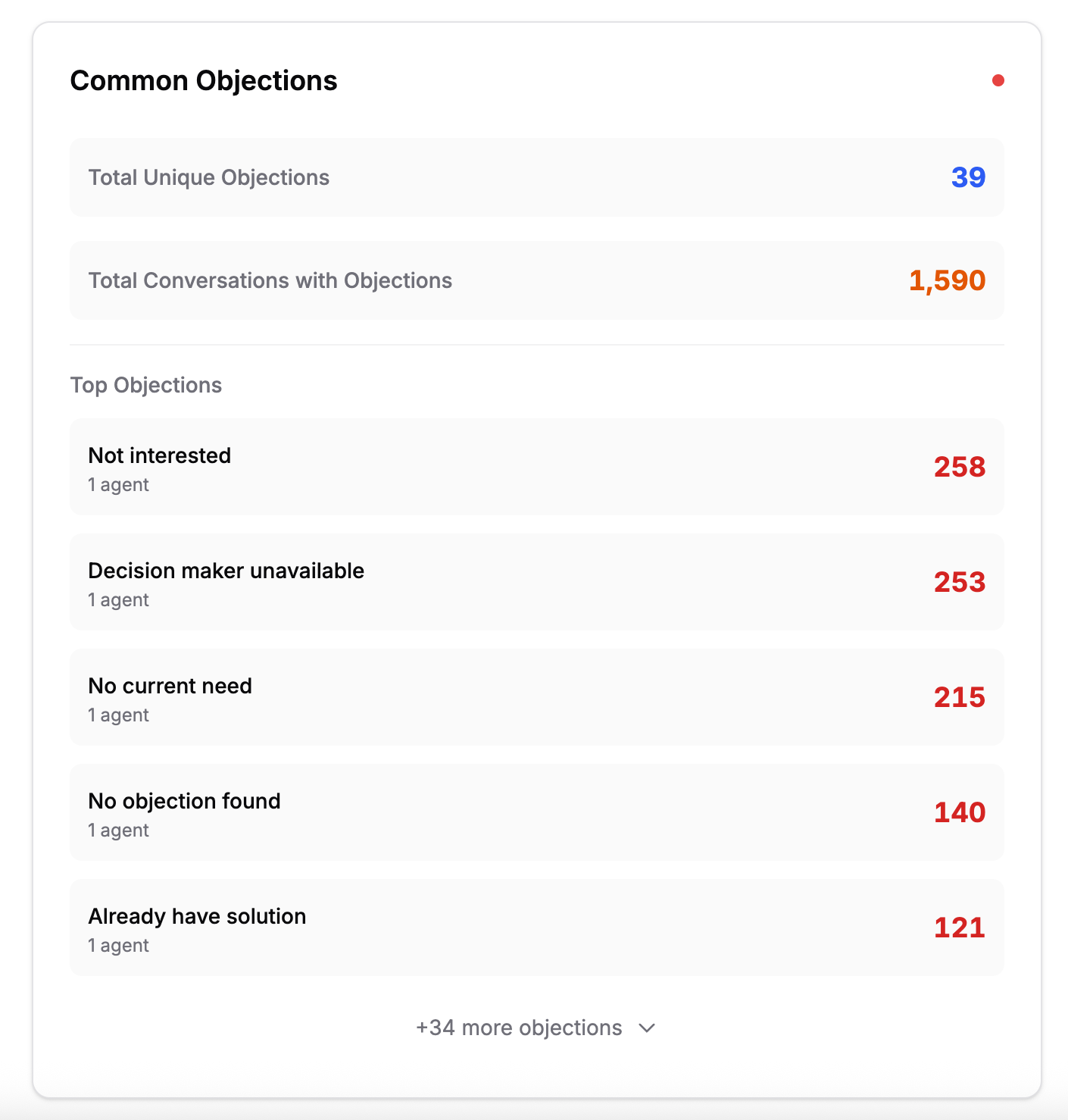
ManPack AI listens to every conversation, tags the objection your lead raised, then rolls them up here. Total Unique Objections counts the distinct reasons logged; Total Conversations with Objections counts how many calls hit one. The Top Objections list ranks them by frequency, with +34 more objections expandable for the long tail.
Tip: A high-frequency objection like “Not interested” or “Decision maker unavailable” is a signal to tighten your targeting or adjust the agent’s opening line, not just a call outcome to log.