
Conversation Memory
Let your agent remember earlier calls with each lead.
Conversations that pick up where they left off
With Conversation Memory, your agent is told about a lead’s earlier calls before it speaks to them: how many times they’ve been called, when, what happened and a summary of each call. Instead of starting from scratch every time, the agent can carry on the conversation naturally.
Remembers past calls
Knows how many times a lead was called, when, and what was said.
Smarter follow-ups
Follow-up calls open with a recap of the last conversation, so leads never have to repeat themselves.
Works on inbound too
When a lead calls back, the agent knows about earlier calls, inbound or outbound.
How it works
Turn Conversation Memory on when you launch calls. From then on, every call your agent makes or receives can draw on the lead’s full call history.
Turn it on for outbound calls
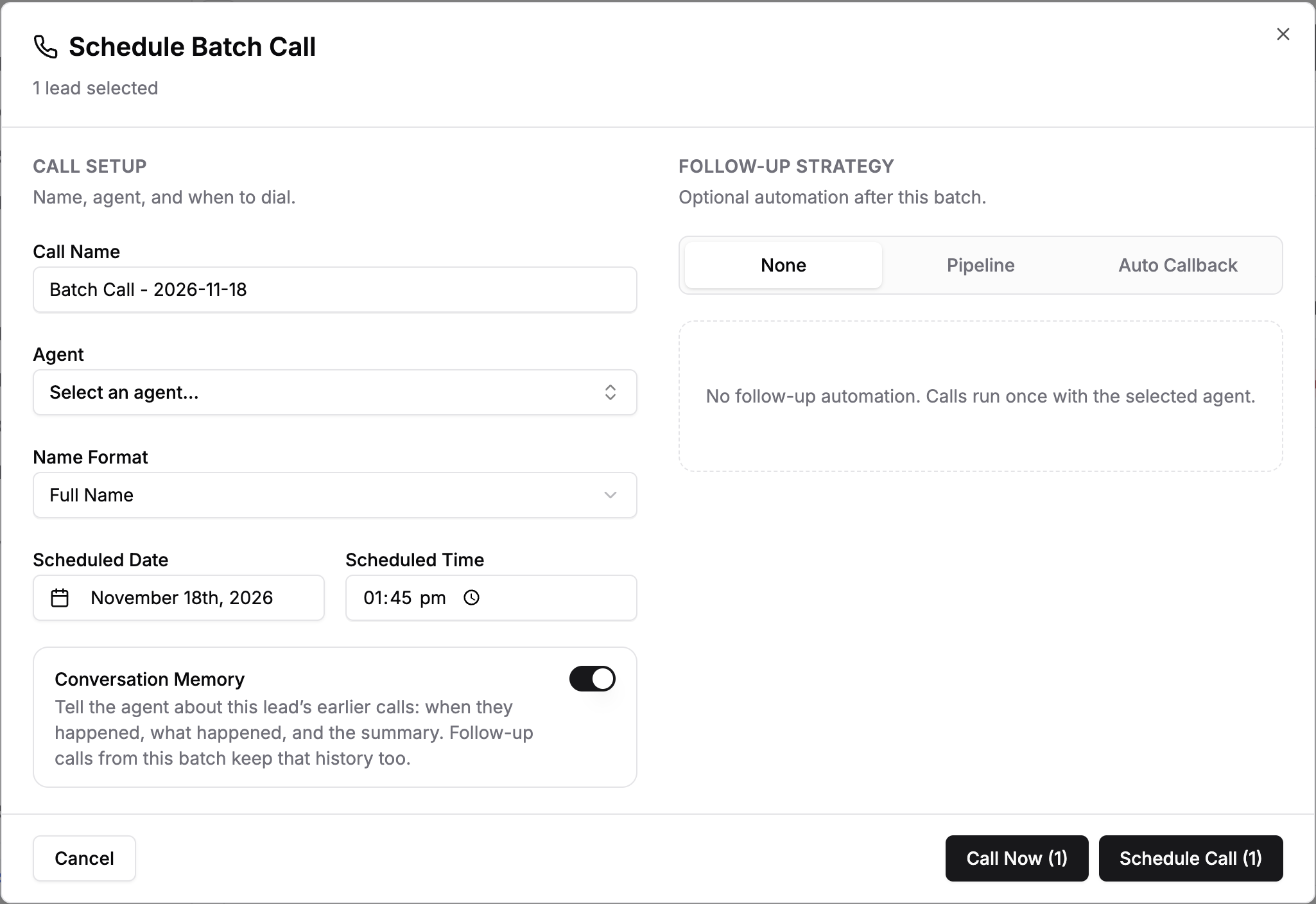
When you launch calls from the Leads page (see Launching Calls), switch on Conversation Memory in the Schedule Batch Call window, just below the scheduled date and time.
Before each call, the agent is told about that lead’s earlier calls:
- how many times the lead has been called
- when each call happened
- what happened on each call, with a summary
The agent can then refer back naturally, for example by acknowledging that you spoke last week, instead of introducing itself as if for the first time.
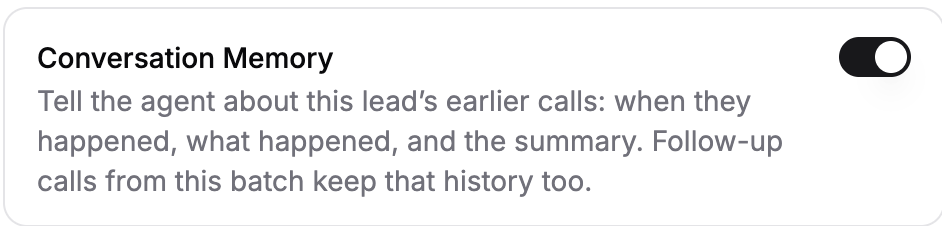
Tip: Conversation Memory is off by default, so turn it on for each batch where you want the agent to remember past calls.
What the agent remembers
Before each call starts, the agent receives a short history of that lead built from your earlier calls, whether they were outbound calls you launched or inbound calls the lead made to you:
- How many times you’ve spoken to the lead.
- When each call happened, so it can say things like “we last spoke yesterday morning”.
- What was discussed, such as questions about pricing, voices or languages.
- How it ended, for example the lead asked for a call back, or said they weren’t interested.
The agent uses this to open with a recap, answer “Did you call me before?” accurately, and continue where the last conversation stopped instead of repeating its pitch.
A call happens
An outbound call you launched, a Pipeline follow-up, or the lead calling you.
ManPack AI saves it
The call is transcribed and summarised, with its date and how it ended.
The lead's history builds up
- How many calls
- When each happened
- What was discussed
- How each ended
The next call starts informed
The agent gets the history before it speaks, and opens with a recap instead of starting over.
Example
forward →
Memory in action
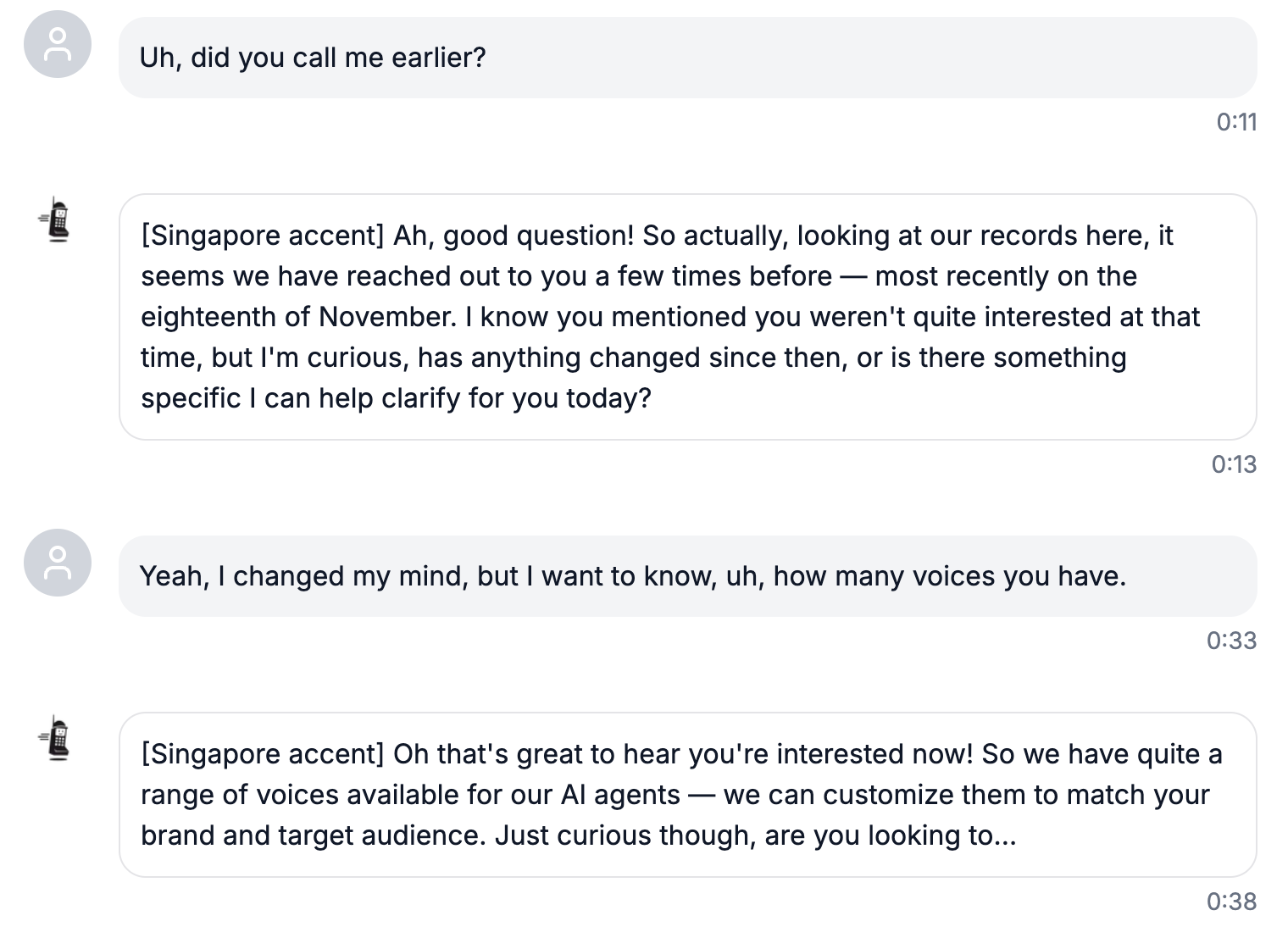
These are real transcripts from a test lead with Conversation Memory turned on. You can find transcripts like these by opening a lead and selecting the Transcript tab (see Reviewing Calls).
Example 1: Following up on a call-back request
Call 1. The lead asks about reaching prospects in different language markets, then asks the agent to call back in two minutes.
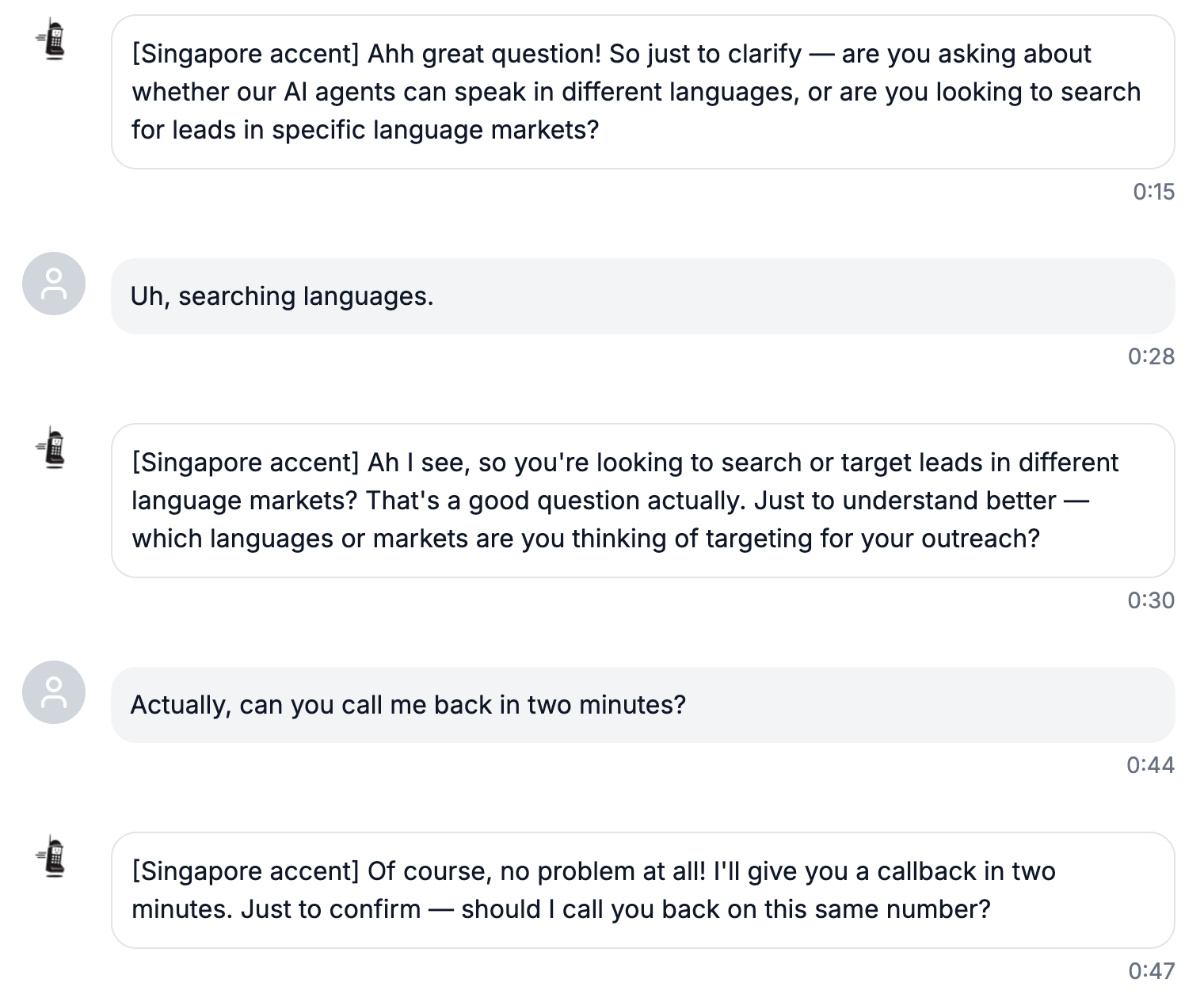
Call 2. Two minutes later, the Pipeline’s follow-up agent (shown as DM Name in the call details) calls back. It doesn’t start the pitch again. It opens straight away with a recap of the last call: “So just to recap from our last chat, you were keen to learn more about our multilingual capabilities, yeah?”, then carries on with the answer.
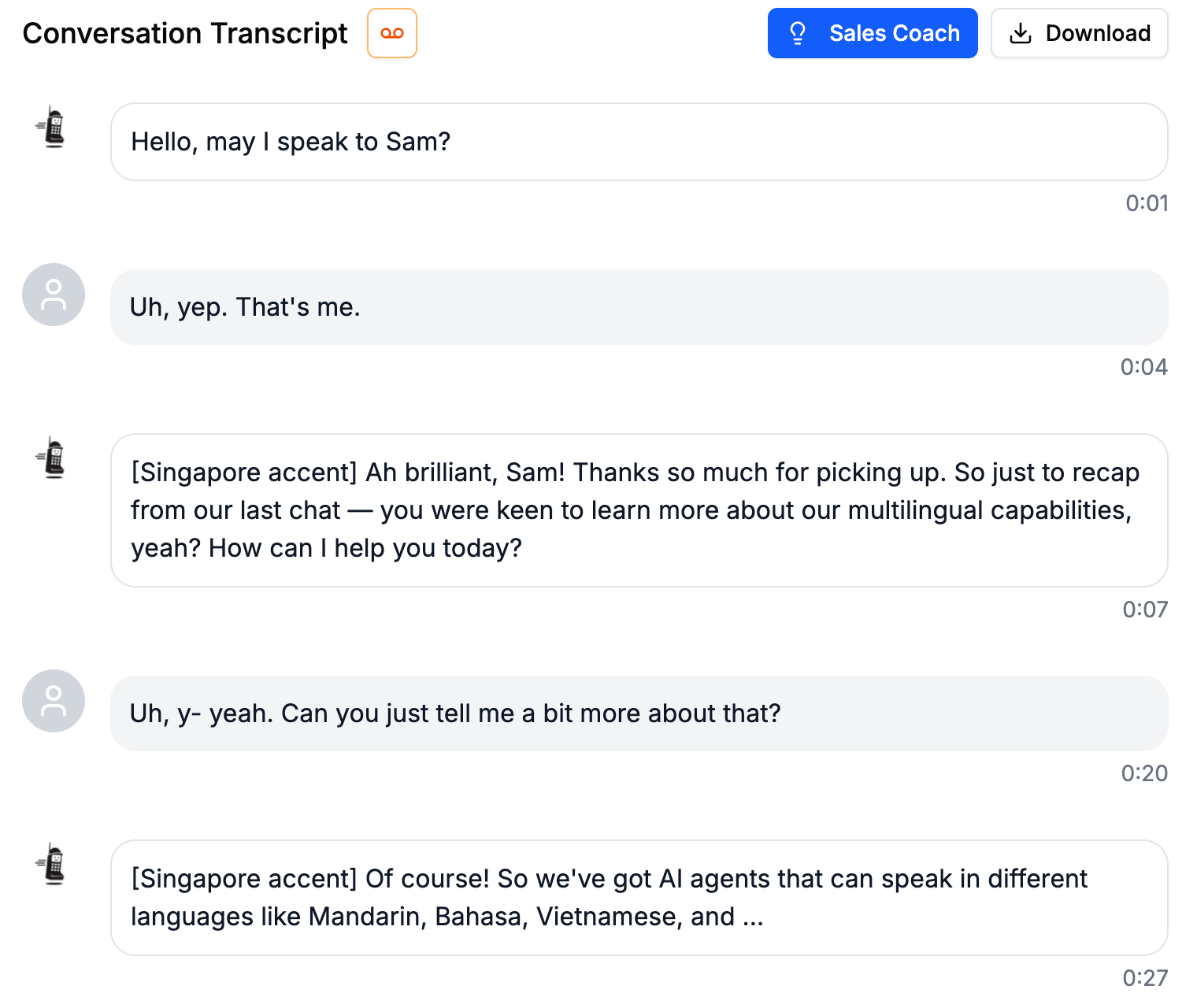
Tip: This works because Conversation Memory carries through every follow-up call in a Pipeline. Turn it on when you launch the batch.
Example 2: Recapping earlier calls when a lead calls in
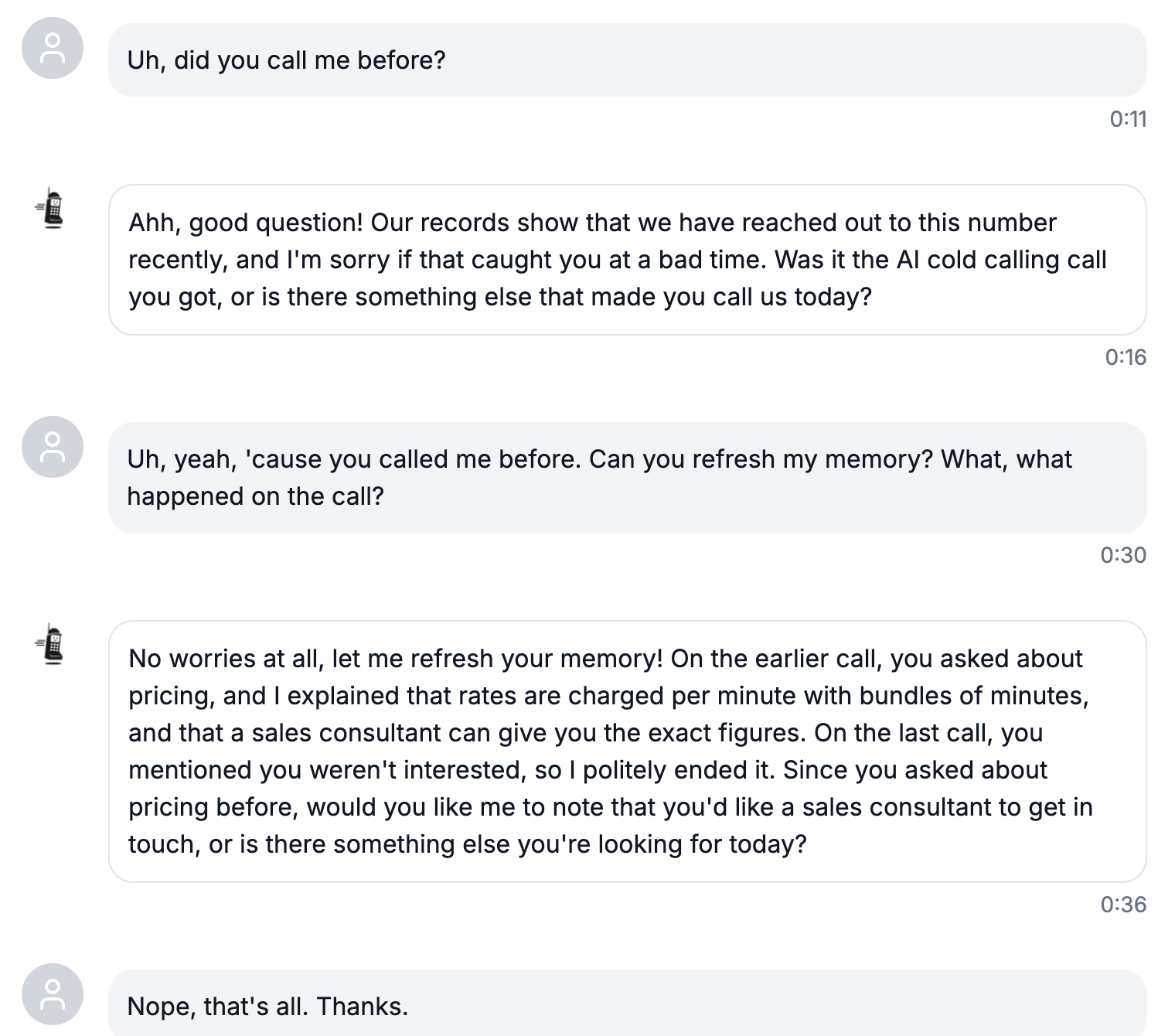
The lead calls your number and asks the agent to remind them what happened on earlier calls. The agent summarises each one: on the earlier call they asked about pricing, and on the last call they said they weren’t interested. It then offers a relevant next step, connecting them with a sales consultant about pricing.
Example 3: Knowing who called whom, and when
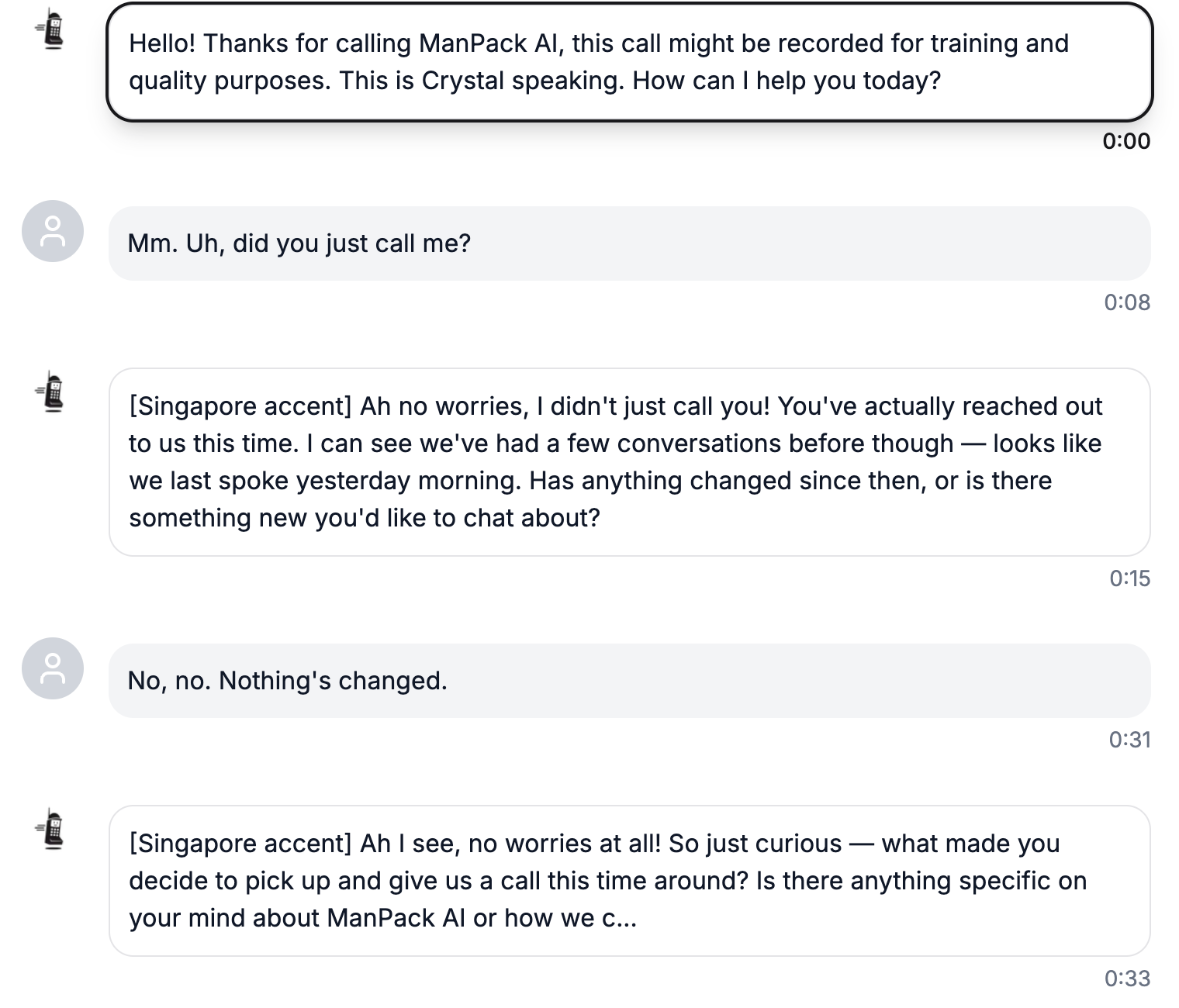
The lead asks, “Did you just call me?” The agent knows this time the lead called in, and that their last conversation was the previous morning, so it answers accurately and asks what has changed since then.
Example 4: Remembering how the lead felt
The agent remembers that it has reached out a few times, the date of the most recent call, and that the lead wasn’t interested at the time. Instead of pitching from scratch, it checks whether anything has changed. Here, the lead says they’ve changed their mind and asks about voices.